For iPhone. Free to download, with an optional Soma Plus membership.
Three things shape how you look and feel: how you train, what you eat and what you do every day. Soma keeps all three in one calm place, so getting better feels like one simple routine.
01Train
Train at your pace, see the lines come in.
Tell Soma what you train with, which days are free and how long you have. It builds a weekly plan that repeats, guides every session set by set, and records each rep and weight.
Bodyweight, dumbbells or a full gym
Warm-up, sets and rest timer, guided
Swap, edit or remove any exercise on any day
02Food
Eat with intention, without the math.
Snap a meal and Soma reads the foods in your photo, then adds up calories, protein, carbs and fat against your daily targets. Rather pick by hand? Search foods or cook from the recipe library.
Photo logging that reads your plate
Daily calorie and macro targets
Recipes with nutrition per serving
03Habits
Small things, done often.
Water, early nights, early mornings, reading, meditation, deep focus, less phone time. Choose the habits you want to build, check in each day and watch the streak grow.
Daily check-ins with goals you set
A month of every habit at a glance
Check off habits right from a widget
Inside the app
Everything your week needs.
Exercise library
Every move with a photo, the muscles it works, the equipment it needs and notes on technique. Add any of them to your plan.
Goblet squatSingle-arm rowPush-upLateral raise
Recipe library
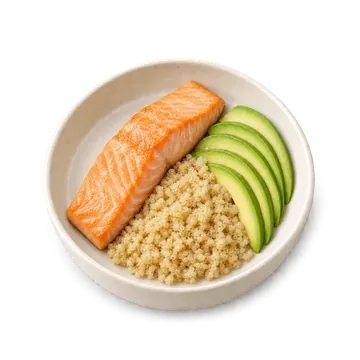
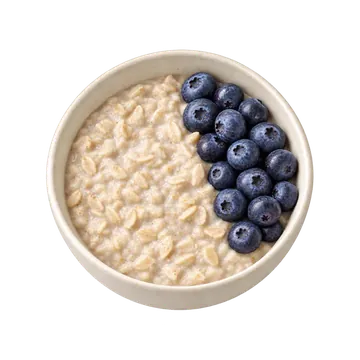
Bowls, salads, smoothies, soups and more, each with calories and macros per serving, ingredients and steps.
Room to recover.
Rest days are part of the plan, with an easy walk or gentle stretching when you want to move.
See the bigger picture.
Your active streak, milestones you unlock along the way, and a weight trend built from your weigh-ins.
Active streak
Milestones
Weight trend
Widgets
Today’s workout, food, streak, habits and weight trend on your Home Screen and Lock Screen.
Gentle reminders
A nudge on your training days and one at bedtime, at the times you choose. Both are optional.
How it works
Made around you.
A few questions, then a plan that fits your body, your equipment and your week.
1
Tell Soma where you are.
Pick your kind of lean, your starting point and your pace. Add your body details, how active your days are, your experience, your equipment and any movements you’d rather leave out.
Soma lays out training and rest days, a daily energy target and a balance of protein, carbs and fat, with a suggested timeline that adapts to your progress.
3
Change anything, anytime.
Edit any day, swap an exercise, or reassess when life changes and Soma makes you a new plan.
A day with Soma
Quiet when you’re busy. There when it counts.
07:00
Up early
Check in your morning habit with one tap, right from your Home Screen.
12:30
Snap lunch
Take a photo. Soma reads the foods and adds them to today’s totals.
18:30
Time to train
Your reminder arrives on training days. Warm up, follow your sets, rest, done.
23:00
Wind down
A gentle bedtime nudge. An early night keeps tomorrow on track.
Soma Plus
Soma Plus
Find your stronger self.
Training that adaptsBuilt around your goals and time
Food, made simplerPhoto logging and daily nutrition
See your progressHabits, trends and the bigger picture
Soma Plus is an optional membership that renews automatically, monthly or yearly. You see the exact price in your currency before you confirm. Payment goes through your Apple ID, and you can cancel anytime in your iPhone’s Settings.
No. During setup you choose bodyweight, dumbbells or a gym, and Soma builds your plan around it. You can change your equipment later in Settings → Training, and Soma makes a new weekly plan from your choice.
How does photo logging work?
Take or choose a photo of your meal. Soma reads the foods it can see and lets you review them and adjust servings before you log. If a photo can’t be read, you can pick what you ate by hand.
Can I change my plan later?
Anytime. Open your training plan to change any day, or choose Reassess to update your details and create a new plan.
How do I cancel Soma Plus?
Subscriptions are billed through your Apple ID. Open Settings on your iPhone, tap your name, then Subscriptions, and choose Soma. Step-by-step guide.
Your rhythm, ready to begin.
Download Soma, answer a few questions and get a week made around you.